
How to spot AI-generated images, videos and voices
A practical guide to checking suspicious images, videos and voices through source, context and corroboration—and understanding why detectors are not infallible.
By TopicWeekPublished 10 min read

In this article
A realistic image, a familiar voice or a short video can feel like proof, but none is proof by itself. A genuine photo may circulate with a false caption; a real recording may be clipped, and synthetic media can look or sound convincing. The useful first question is not “Can I spot an AI flaw?” but “Where did this come from, what exactly does it claim, and can another reliable source confirm it?”
What “AI-generated” and “deepfake” mean
AI-generated media is made wholly or partly with generative systems. Manipulated media is altered through conventional editing or AI. “Deepfake” usually describes synthetic or altered audio, images or video that convincingly imitates a person’s appearance, voice or actions. The terms overlap but are not interchangeable: not every AI image is a deepfake, not every false post uses AI, and synthetic work may be clearly labelled fiction or satire. Keep the claim separate from the file: an authentic clip can accompany words never spoken, and an old photo can be presented as a current event. Check both the media and its caption, date, place and interpretation.
Why visual and audio “tells” are weak evidence
Odd hands, garbled letters, inconsistent reflections, jerky movement or unusual lip-sync can justify a closer look, but none proves AI on its own. Real images can have optical distortion, blur, compression, edits or poor lighting; generative systems can also produce clean details. A strange pause or flat voice may come from a bad connection, fatigue or recording equipment. Use a clue to check the source, not to pass judgment on a person or event.
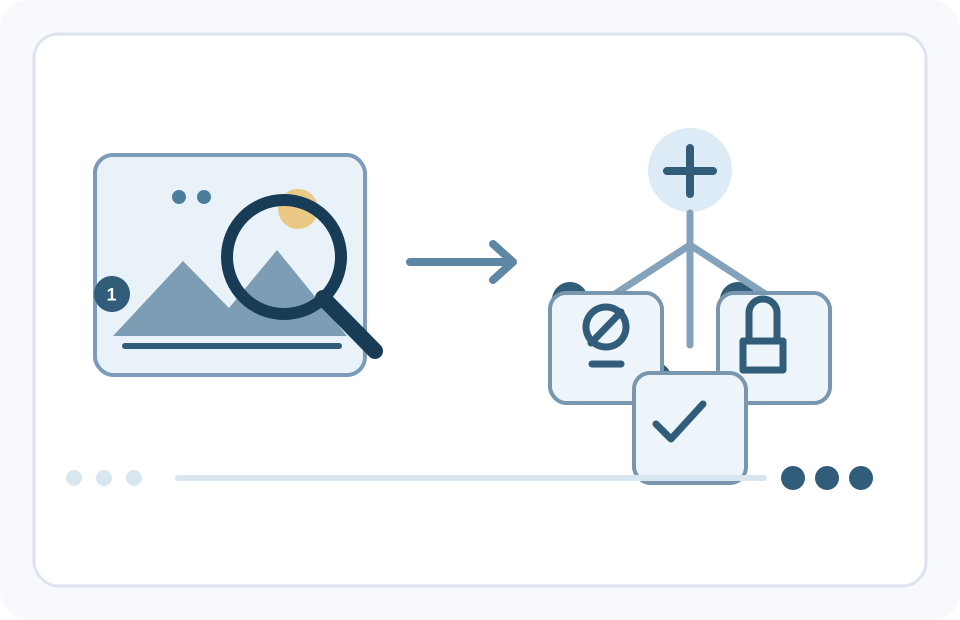
The header photo shows a person using a phone and laptop; it does not document a particular verification task. The illustration is conceptual: it contrasts a quick visual glance with a chain of checks.
How to check a suspicious image
- State the claim: who posted the image, when and where, and what does its caption say? A dramatic scene without an identifiable source deserves care, but anonymity alone does not prove deception.
- Find the earliest available version. Check the account or page that shared it first, look for the original file or photographer, and see whether a reliable newsroom, institution or witness provides a traceable account.
- Run a reverse image search. Google Lens or another visual search service may find older copies, related images or published fact-checks. If the full-image search finds nothing, try a crop of the central scene.
- Compare context: date, place, weather, buildings, signs, uniforms and the claimed event against independent reporting or primary records. Inspect shadows, reflections, edges or patterns only as clues; compression, filters, editing and perspective can also create oddities.
- Check provenance if available and seek independent confirmation of the event, not just accounts repeating the same file. A credential may report origin or edits, but it does not certify the claim. If you cannot verify it, do not share it as fact.
A search with no results proves little: the file may be new, private, cropped, mirrored or absent from the index. Google’s Fact Check Explorer may surface published checks about a claim or image, but coverage depends on participating publishers. No match does not authenticate the content.
How to verify a video
Start with the full upload, not a reposted excerpt. Identify the original account or organization, look for a longer version, and compare the date and setting with other coverage. A clip can be genuine while its location, timing or caption is wrong; cuts can remove a question, reply or surrounding context.
- Select several distinct frames, especially at scene changes or around the disputed moment, and search them separately. Tools such as InVID-WeVerify can extract keyframes from some online videos, but supported platforms and access can change.
- Compare landmarks, signs, weather and shadows with maps, official material or independent reporting. A visual match supports a location hypothesis; it does not establish when the footage was recorded.
- Listen to the audio in context. Check whether the full recording or a reliable transcript supports the quoted words. Irregular lip-sync can result from dubbing, editing, connection quality or codecs; it is not a verdict.
- Ask what evidence could settle the claim: perhaps a full official recording, a traceable original post or multiple independent recordings. If none is available, leave it unresolved.
InVID-WeVerify describes keyframe extraction and reverse search as tools, not an automatic deepfake verdict. Do not upload private or sensitive video unless you understand how the service handles data and have the right to submit it.
How to check a voice or call
A cloned voice can imitate someone you know, and caller ID can be spoofed. A request combining urgency, secrecy and money, access codes or personal data is reason to pause, whether or not the voice sounds familiar. The U.S. Federal Trade Commission (FTC) warns about cloned-voice emergency calls; the practical advice travels, but its reporting channels are U.S.-specific.
- End the call. Do not let the other person keep you on the line while you “verify.”
- Call back using a number already saved or obtained from a trusted official source—not a number, link or contact supplied during the suspicious exchange.
- Confirm through a second independent channel. For a workplace payment or bank-detail change, follow a documented approval process and verify with the requester using previously established contact details.
- Never share passwords, one-time codes, recovery codes or financial details with an unverified caller. Do not transfer money under pressure.
- A family passphrase agreed in advance can add a layer, but it is not foolproof: it can be overheard, reused or disclosed. An independent callback still matters.
The FBI recommends independent identity checks and mentions family passphrases as one possible safeguard. Treat them as an extra layer, not a replacement for calling back through a known channel. At work, a voice or video request should never bypass payment controls.
What Content Credentials and C2PA can tell you
C2PA is an open technical standard for attaching a signed, tamper-evident record of selected claims about a media file—for example, its origin, a tool used or an edit. “Content Credentials” is a common user-facing name for these records. A compatible verifier checks whether the credential is associated with the file and whether its signature and recorded data validate. A valid credential supports a claim about recorded provenance; it does not prove that a scene happened as described or that the signer is an independent witness. Credentials are optional, not attached to every file, and may disappear when a platform, screenshot or editing process strips metadata. Their absence does not show that content is fake. The record may also be incomplete: it reflects claims recorded by compatible tools and does not guarantee that every earlier or later step was documented. The C2PA explainer says provenance complements fact-checking and does not judge whether a claim is true. As of this review, Gemini help says its signed-in feature can check supported images, videos and audio for Google SynthID and C2PA credentials. A detected SynthID points to content made or edited by Google AI; no signal means only that Google’s watermark was not found, not that the file is human-made. The C2PA check is currently available on the web and Android; Google says iOS support is coming.Google currently lists C2PA verification on the web and Android; it says iOS support is coming. Limits also apply by account, file size and duration. Do not upload private, intimate or confidential material without understanding the service’s data terms and having the right to share it.
Can an automatic detector settle it?
Detectors look for patterns associated with certain generators, manipulation methods or watermarks and return a score. That score is not the probability that someone lied, and may not transfer to a new model, another language, a cropped file or a social-media copy. False positives can label edited genuine media synthetic; false negatives can miss generated or partly altered content. The NIST overview describes generalization and post-processing as challenges. A 2025 ICLR study tested nine off-the-shelf image detectors on Chameleon and found that almost all misclassified AI-generated examples as real. That result concerns that dataset and those systems, not every current service. Google says Gemini recognizes SynthID only for Google AI content; no public checker covers every model, edit or platform. If you use a detector, treat it as one lead alongside provenance and independent verification.
Three practical examples
- A viral photo — hypothetical. A striking image spreads as breaking news, but no photographer or location is named. Search the caption and image, inspect earlier copies, and ask whether independent outlets or local authorities confirm the event. No reverse-search result does not prove the photo is new. Do not share it as news until corroborated.
- A short video quote — hypothetical. A ten-second clip seems to show a public figure making a shocking statement. Find the full event, speech or interview, compare the exact words, and look for independent reporting or a transcript. Strange lip movement is not enough to call it fake; a genuine excerpt can also be edited to change its meaning. If the original is missing, call the quote unverified.
- An urgent voice message — hypothetical. Someone who sounds like a relative says they are in danger and asks for immediate payment. End the exchange and call a number you already know, or contact another trusted person independently. Do not pay, send codes or reveal data until the story is confirmed. You need not prove the voice is synthetic to decline an unverified request.
What to do if content remains suspicious
- Pause; do not act under pressure.
- Do not present it as confirmed or forward it without context. Say what is known and what is not.
- Safely keep relevant details: post URL, account, date and messages. Do not download unknown attachments or expose private data to “prove” a point.
- Check original sources and a separate trusted channel. For money or account access, use official contact details and established approval procedures.
- Report harmful or fraudulent content to the platform and, where appropriate, a local authority or consumer-protection service. Reporting does not guarantee immediate removal.
- If someone is impersonated, warn them privately through a known channel. If money has been sent, contact the payment provider and relevant local authorities promptly.
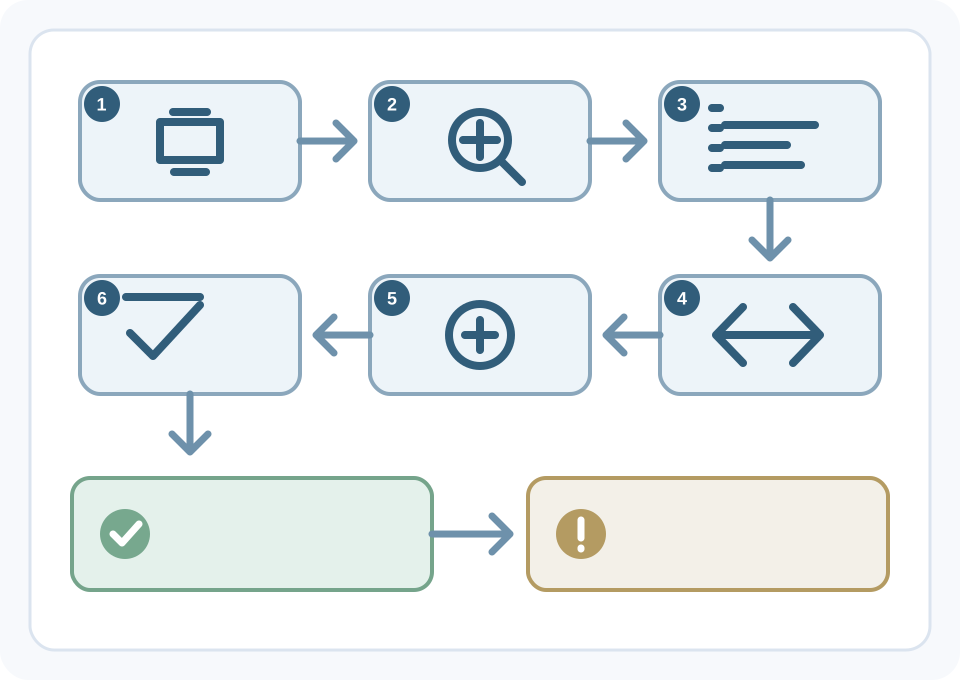
“Unverified” does not mean “false.” It means the evidence available to you does not settle the question. For a high-stakes decision, act cautiously—decline a transfer, wait before sharing or seek an authoritative source—without claiming to know exactly how the media was made.
A short checklist before you share or act
- Do I know the original source, date and context?
- Have I searched earlier versions or existing fact-checks where useful?
- Do independent sources confirm the event or quote, rather than repeat the same file?
- Am I treating a visual or detector signal as a clue, not proof?
- Are there signed provenance credentials, and what exactly do they say?
- Is the message designed to create panic, secrecy or urgency?
- Does it ask for money, passwords, one-time codes or personal data?
- Can I confirm identity through a known, separate channel?
- What evidence would I need before sharing this as true? If I do not have it, can I wait?
Frequently asked questions
- Can you tell for sure from one image? Usually not. Visual artifacts may raise a question; provenance, context and corroborating sources provide stronger evidence. Some files remain unverified.
- Does no reverse-search match mean the image is authentic? No. The service found no match in material it can index. The image may be new, altered, private, cropped or absent from that database.
- Do Content Credentials prove a video is true? No. They can help check a signed record of origin and edits associated with a file, but not whether the event happened as described.
- What if a familiar voice asks for money? End the call and contact the person through a number or channel you already trust. Confirm independently before sending money or information.
- Is every AI-generated image deceptive? No. Synthetic media may be fiction, art, parody or accessibility support. Consider how it is presented and whether the accompanying claim is accurate.
Verify the claim before trusting the media
A polished image, convincing voice or valid credential can each tell you something, but none answers every question. Build the picture from the original source, full context, independent corroboration and any provenance record. If evidence is incomplete, say so. Pausing before sharing, paying or disclosing information is practical protection, not a failure to detect.
Related guides

Technology
The 5 best web browsers of 2026: privacy, security and features compared
Compare Chrome, Firefox, Edge, Brave and Safari by privacy controls, security features, compatibility and everyday use.
11 min read

Technology
How to back up Android: Google, photos and files step by step
Learn how to back up Android with Google, save photos and files, transfer data and check what can be restored.
11 min read

Technology
How to back up an iPhone: iCloud, Mac and Windows step by step
Learn to save and restore iPhone data with iCloud, Finder on Mac or Apple Devices on Windows, and check that the backup finished.
12 min read