
Types of phishing: examples and how to identify them
Compare mass phishing, spear phishing, whaling, smishing, vishing, QR phishing, clone phishing and BEC.
By TopicWeekPublished 9 min read

In this article
Phishing labels are not a universal list of exclusive categories. Describe an attempt by asking who is targeted, which channel it uses and what mechanism it employs. One attempt may target an employee, arrive by email and use a QR code. This guide focuses on forms; for the definition, sender checks and general response, see what phishing is and how to respond. This is a practical way to describe an attempt, not a legal taxonomy or a label used identically by every sector. MITRE ATT&CK organizes techniques for cybersecurity analysis, while everyday terms may refer to intent, channel or mechanism. Describe what you observed before assigning a name.
How phishing types are classified

Mass phishing
Mass phishing reaches many people without selecting each recipient individually. It may imitate delivery notices, invoices or accounts and ask someone to open a page or file, reply or call. Generic wording can be a clue, but broad campaigns can also add names automatically. Scale does not necessarily make an attempt less risky.
Fictional example: several people receive an unexpected delivery notice asking them to confirm details. Check tracking in the official app or site you open yourself. Not every delivery notice is fake; the unfamiliar shipment or request is what merits checking. Filters help but do not catch everything.
Spear phishing
Spear phishing targets a specific person, company or sector. A message may mention a real project or task to seem familiar. This does not prove the sender has secret information: details may be public or come from a compromised account. MITRE ATT&CK distinguishes targeted from non-targeted phishing and documents delivery through attachments, links, third-party services and voice.
Fictional example: someone receives an apparently work-related request to sign in again or open a document outside the usual process. Confirm with the person or team through a known channel. At work, follow reporting rules and do not forward suspicious files. Personalisation is a reason to check context, not proof of fraud.
Whaling
Whaling commonly describes spear phishing aimed at people with senior responsibilities or valuable access, such as executives or payment approvers. It is not a separate channel and can arrive by email, call or messaging. Requests for secrecy, urgency or an exception to controls call for independent confirmation.
Fictional example: someone appearing to be an executive urgently asks to change a payment recipient. Do not use that same message as the only confirmation. Follow approval procedures and call a contact whose number is already verified. The request might be legitimate; confirm the change separately.
Smishing: phishing by text
Smishing is a common label for phishing by SMS or text message. It may include a link, request a reply, or prompt a call or installation. Delivery, account and fine notices can be imitated, though those contexts can also be legitimate. Not every fraudulent text has a link, and a displayed name or number does not prove who sent it.
Fictional example: an unexpected text says a parcel will not arrive unless you confirm a detail. Check using the official app or an address you already know. Do not reply with codes or personal data. Even in a familiar thread, verify separately: sender information may be spoofed or the conversation affected.
Vishing: phishing by voice
Vishing combines deception with voice communication, often calls. Contact may start elsewhere and ask you to call a number. A caller may pose as support, a company or colleague to obtain data, codes, payment or remote access. Caller ID does not prove who is on the other end.
Fictional example: a caller warns of an alleged suspicious transaction and asks you to read out a code. Do not share codes or install access tools at an unexpected caller’s request. Hang up and call a number from an app, card or document you already have. Verify security requests independently.
QR phishing or quishing
QR phishing or quishing uses a QR code to lead to a deceptive page, payment or interaction. It may appear in email, a document, poster or sticker; a physical code may have been replaced. The code itself is not malicious: risk lies in the destination or action. FBI/IC3 warns about altered digital and physical codes.
Fictional example: an unexpected invoice says the only way to pay is to scan a code. Do not scan it to test whether it is suspicious. Check the invoice through the official service you open separately. A preview may not reveal every redirect. A sticker covering another code or an unexplained instruction is a reason to pause.

Clone phishing
Clone phishing describes imitating a known communication with a deceptive change, such as a new link or attachment. The University of Tennessee's information security office describes copying a legitimate email and modifying it. Some descriptions include compromise of the original account; the label alone does not establish that this happened in a specific incident, so this guide uses the term descriptively.
Fictional example: a notice resembles an earlier one but includes an unexpected file or asks you to repeat an action. Compare it with the known process and confirm with the sender through a familiar channel. Do not open the attachment merely because the conversation looks familiar. Legitimate messages can change; verify before acting.
Phishing through social media and messaging
Social networks, messaging and collaboration services can also carry targeted attempts. A familiar account may be compromised, fake or similar to a contact. Conversation history does not authenticate a new link, file or request. MITRE documents targeted phishing through third-party services; that does not make every private message or social scam phishing.
Fictional example: a known contact sends a file or asks for a code in chat, but the request does not fit. Confirm by calling or using another established channel. At work, use the approved corporate channel. Do not share codes, credentials or documents just because a profile looks familiar.
BEC and CEO fraud
BEC, or business email compromise, describes fraud seeking to divert payments or obtain data. It may use legitimate compromised accounts, impersonated identities or false payment instructions. CEO fraud is often an executive-impersonation scenario; it may overlap with whaling or spear phishing, but the terms are not exact synonyms. BEC does not always require a fake site or stolen password.
Fictional example: a seemingly familiar supplier announces a bank-account change shortly before an invoice is due. Do not rely only on the contact details in that notice. Confirm with a previously recorded contact and follow internal controls. If money was sent, contact your bank and finance team promptly; recovery is not guaranteed.
Other documented mechanisms
Other labels describe mechanisms or scenarios: imitated email threads, induced callbacks, or deceptive requests to grant app permissions. Some are not universally defined types. MITRE ATT&CK documents delivery through services and voice; do not attribute every popular label to MITRE. Do not approve permissions or access you did not initiate and understand. Do not infer the whole method from the first screen: an email may ask for a call, a call may lead to a page, and a message on a legitimate service may contain a deceptive link. Record the entry channel and requested action separately.
How the categories overlap
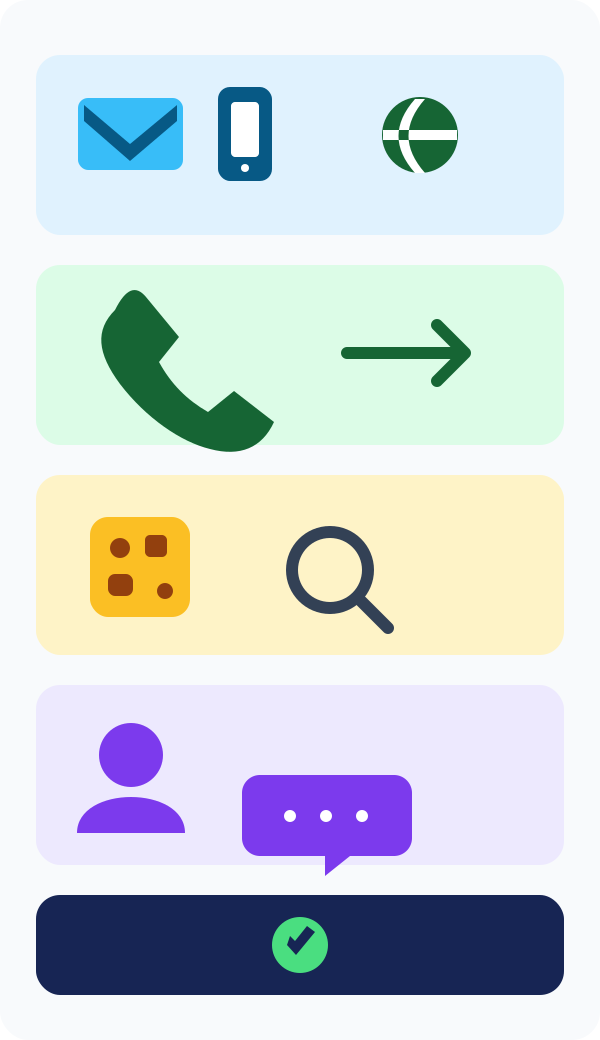
A simple map is target (mass, directed, high-profile), channel (email, text, voice, social service) and mechanism (QR, imitation, link, attachment or payment request). Whaling is usually targeted; smishing and vishing name channels; QR and cloning describe mechanisms. One campaign may combine dimensions.
Compare common modalities
The comparison highlights what to check, not a danger score. Clues depend on context: an unexpected payment-detail change, code request or QR destination that differs from the expected service. The shared safeguard is to pause and confirm independently. For other digital fraud, see our guide to online scams.

- Mass phishing — broad reach; check whether the request fits an action you expected; verify through the official service.
- Spear phishing / whaling — selected person or senior role; check unusual context, secrecy or payment exception; confirm with a known colleague.
- Smishing — text message; check unexpected request and displayed sender; use the official app.
- Vishing — call or voice; check pressure and code requests; hang up and call a known number.
- QR phishing — printed or digital code; check provenance and destination; open the official site separately.
- Clone / social-service phishing — familiar-looking message or account; check unexpected changes; verify through another channel.
- BEC — payment or business-data request; check changed bank details; follow an independent approval process.
Protect yourself by channel
For email or text, open the official app or site yourself. On a call, hang up and dial a known number. For a QR, check who placed it, its destination and the transaction before signing in or paying. On social media, confirm an unexpected request another way. Businesses should use payment controls and internal reporting. For a financial request, confirm the full beneficiary details, not only a business name. Organisations should use known contacts and approval controls. In public spaces, check whether a QR label appears tampered with; stop if an unexpected destination asks for credentials or payment.
If you already interacted
Receiving a message alone does not mean your device is compromised. If you opened a link, close the page and enter nothing; a click alone does not prove infection. If you shared a password or code, secure the account through its official app, review sessions and follow the provider’s process. Review app permissions. If you paid, call your bank promptly; if you ran a file or it is a work device, notify support. See our full response guide.
Reporting and help
In Spain, INCIBE offers cybersecurity guidance through 017; it is not a police-reporting line. For financial loss or suspected crime, contact the competent authorities. NCSC is for the UK; FTC and FBI/IC3 have roles in the US. Language does not determine country: find the official body for your jurisdiction and retain evidence without publishing sensitive data.
MITRE ATT&CK: Phishing · NCSC: phishing guidance · FBI/IC3: QR codes · FBI/IC3: BEC · FTC consumer advice · INCIBE (Spain) · Microsoft Learn: anti-phishing · University of Tennessee: clone phishing
Frequently asked questions
- What are the main types of phishing? Mass, spear phishing, whaling, smishing, vishing, QR phishing, clone phishing, service-based attempts and BEC; labels describe different dimensions.
- How does spear phishing differ from mass phishing? It selects a person, company or sector; mass phishing reaches a broad group but can still be personalised.
- Is whaling a channel? No. It describes a high-profile target and may use email, calls or messaging.
- What is smishing? Phishing by SMS or text, which may ask for a link, reply or call.
- What is vishing? Voice-based deception, often by phone; caller ID does not prove identity.
- What is quishing? Using a QR code to lead to a deceptive page, payment or interaction. Not every QR is dangerous.
- What is clone phishing? Imitating a known communication with a deceptive change, such as a link or attachment; definitions vary.
- Is social-media phishing always targeted? No. It can be broad or personalised, and not every social scam seeks credentials.
- Are BEC and CEO fraud the same? Not exactly. CEO fraud is one scenario; BEC covers business fraud involving diverted payments or data.
- Can one attempt combine forms? Yes. It can target someone by email and use a QR as its mechanism.
- Is every unfamiliar text smishing? No. It must involve phishing deception delivered by text.
- Does a familiar caller ID prove a call is genuine? No. Caller information can be spoofed and does not establish identity.
- Are all QR codes dangerous? No. Check source, destination and request before signing in or paying.
- Does phishing always steal passwords? No. It may seek payments, data, codes, access or another action.
- Is mass phishing always generic? No. It can include automated personalisation.
- What if I entered a password? Access the real service separately, change it, review sessions and secure accounts where it was reused.
- What if I paid? Contact your bank promptly through an official channel; recovery is not guaranteed.
- Where can I find next steps? Read our guide on responding to phishing and contact your jurisdiction’s official body.
Related guides

Technology
The 5 best web browsers of 2026: privacy, security and features compared
Compare Chrome, Firefox, Edge, Brave and Safari by privacy controls, security features, compatibility and everyday use.
11 min read
Technology
How to back up Android: Google, photos and files step by step
Learn how to back up Android with Google, save photos and files, transfer data and check what can be restored.
11 min read
Technology
How to back up an iPhone: iCloud, Mac and Windows step by step
Learn to save and restore iPhone data with iCloud, Finder on Mac or Apple Devices on Windows, and check that the backup finished.
12 min read